Sweep
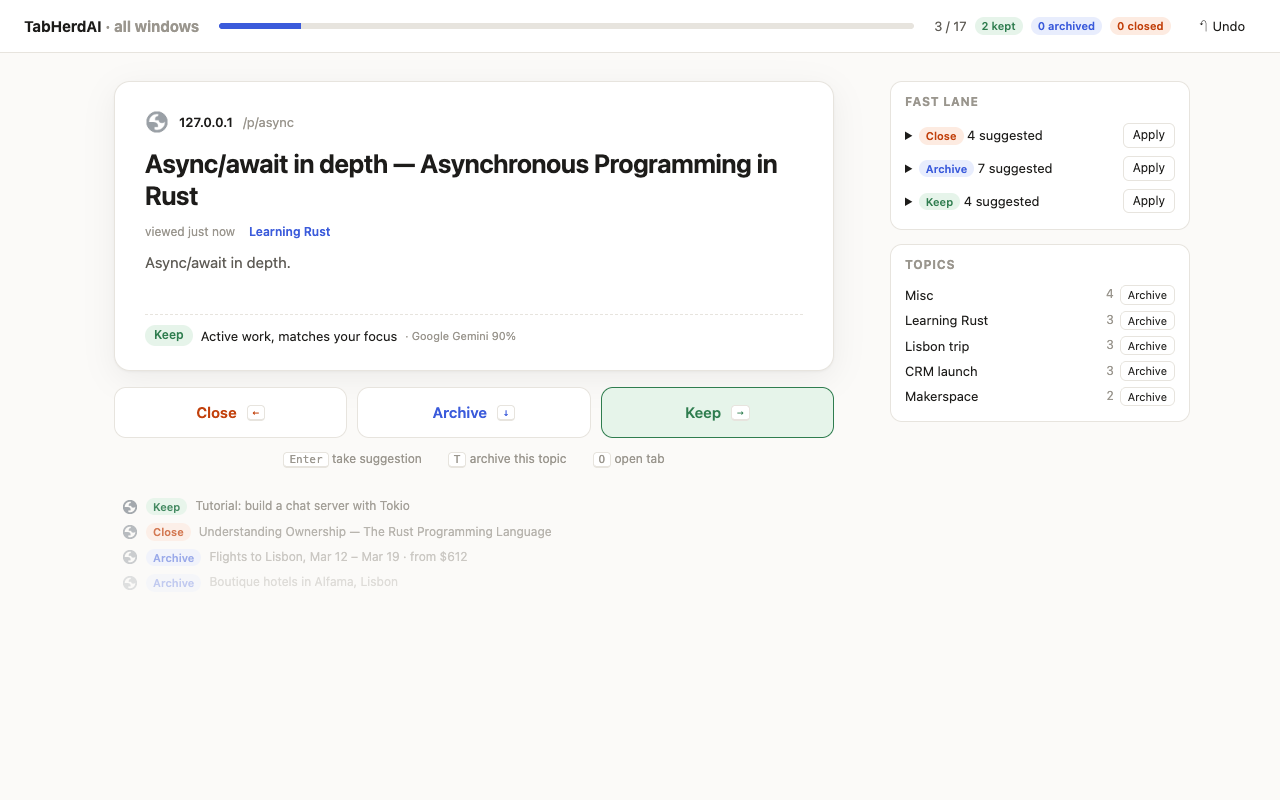
A speed-reader for tabs. One big card at a time, one key per decision: ← close, ↓ archive, → keep. The AI suggests a verdict with a reason; Enter takes it. The fast lane applies the routine ones in one go.
 TabHerdAI
TabHerdAI sorts your open tabs by task, files what you're not using, and keeps every change undoable. One keystroke per tab, or let the AI plan it and approve.
A speed-reader for tabs. One big card at a time, one key per decision: ← close, ↓ archive, → keep. The AI suggests a verdict with a reason; Enter takes it. The fast lane applies the routine ones in one go.
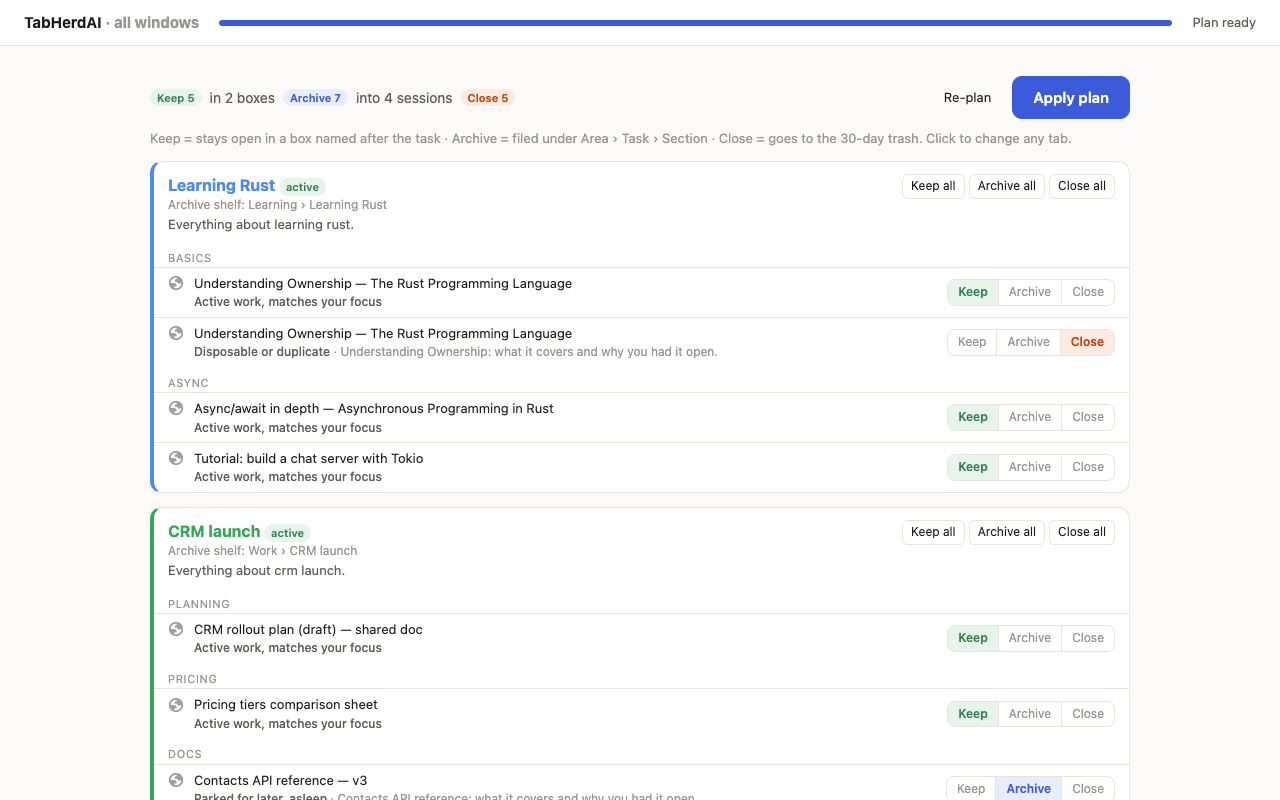
One pass reads every tab, even sleeping ones, writes a note on each page, and plans your workspace by task: what stays open in a named box, what gets archived under Area › Task › Section, what gets closed. You review the plan before anything changes.
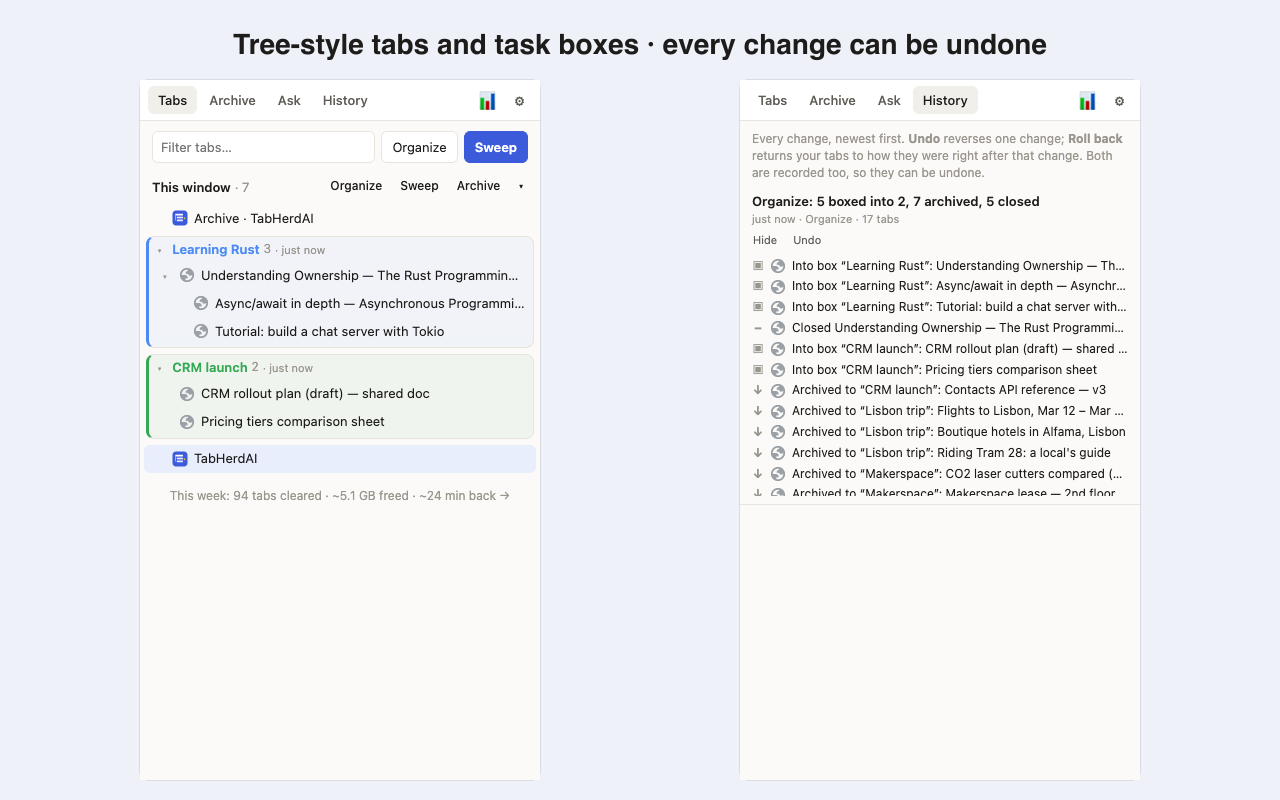
Tabs nest under the tab that opened them, across every window, with drag and drop. Every change TabHerdAI makes is a commit in History: undo one, or roll back to any point. Closed tabs wait 30 days in the trash.
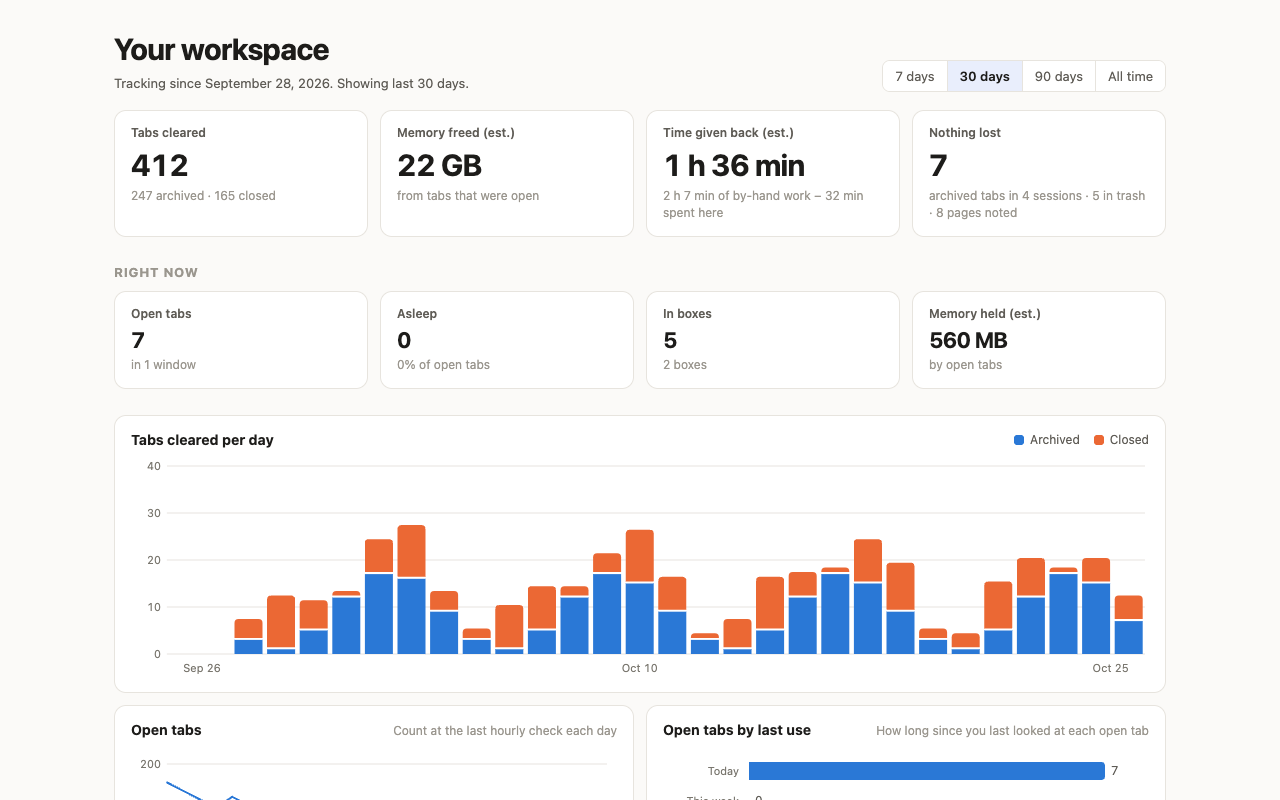
The dashboard counts tabs cleared, estimated memory freed, and the time you didn't spend doing it by hand. It also shows what's still recoverable: archived tabs, trashed tabs and noted pages.
$0
Tree-style panel, task boxes, Sweep with rule-based suggestions, whole-window archiving, History and the dashboard. No account.
$10/year
AI verdicts, Organize, page notes and Ask, with nothing to set up. Start with a free month, no card.
BYOK
Gemini, Claude, OpenAI, OpenRouter, Groq, Mistral, DeepSeek, xAI, Together or any OpenAI-compatible endpoint. Your key goes only to that provider.
Ollama
Point it at Ollama on your machine or a box on your network. Nothing leaves your machines.
Your tab data stays in this browser's extension storage. Nothing is sent to any AI until you tick the consent box, and then only to the provider you chose. No analytics inside the extension, no account for the free features. Read the privacy policy.
AI free for a month, no card.